Character art · Clean your 3D Scanned Mesh
Clean your 3D scanned mesh and optimize it for games, animation or 3D print
Turn noisy, high-poly 3D scans into clean, optimized models ready for 3D print, game engines, animation and production workflows.
- First reply
- within 12 hours
The problem
The 3D scanmesh is broken.
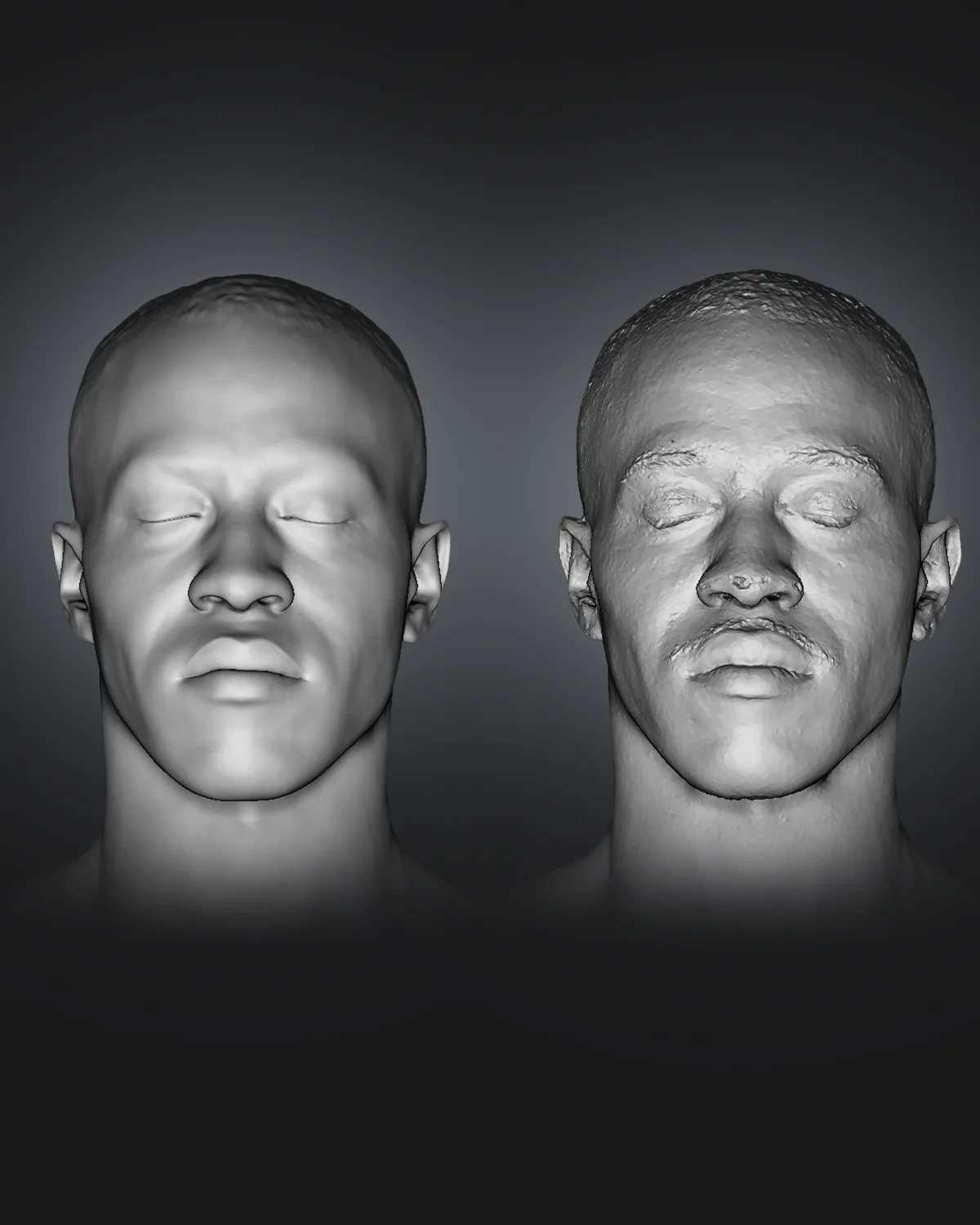
3D scans often produce noisy surfaces, holes, broken geometry, excessive polygons, and poor topology. These issues make models difficult to use in games, animation, and real-time applications. Without proper cleanup and optimization, scanned assets can cause performance problems, increase memory usage, and create difficulties during rigging, texturing, and rendering.
Sound familiar?
- Mesh has holes all around ?
- Huge file with unusable polycount ?
- Scan file texture has misplaced texture ?
- The file is too heavy handle ?
Why it happens
Why 3D Scan Files Need Cleanup
3D scanning captures real world objects with impressive detail, but the resulting meshes often contain errors that make them unsuitable for production. Professional cleanup helps transform raw scan data into clean, efficient, and usable 3D assets.
Common problems with raw 3D scans:
Excessive polygons: Heavy meshes consume memory and slow down performance.
Surface noise: Unwanted bumps, scanning artifacts, and distortions affect visual quality.
Holes and broken geometry: Missing surfaces and incomplete areas require repair.
Poor topology: Irregular geometry makes sculpting, rigging, and animation difficult.
Unoptimized textures and UVs: Inefficient texture layouts can increase memory usage and complicate material workflows.
What proper cleanup achieves
A professionally cleaned mesh preserves the original object’s shape and important details while improving geometry quality and overall efficiency. Depending on your requirements, cleanup can include mesh repair, polygon reduction, retopology, and UV optimization.
The result is a cleaner, lighter, and more production ready 3D asset suitable for games, animation, rendering, and realtime applications.
What we fix
The work, part by part
- 01
Fix Holes and unwanted mesh
We fix the holes by closing them and remove unwanted meshes floating around.
- 02
Optimization for game,3D print or animation
We retopo the file with proper edge flow along with focusing on silhouette within your sets polybudget. For 3D print we close the mesh, rebuild if necessary and make it printable
- 03
UV and Texturing
We texture the file according to your set description after we are done with the cleanup process.
- 04
Render and Lookdev
We do the rendering and lookdev work if you want them to see how they looks before finalizing the project.
What you get
Files you can import today
- Optimized file as FBX,STL or GLB
- PBR texture set on requests
- Rigging on requests
Limits
When we’ll tell you no
We would rather turn a job down in the free review than deliver something that doesn’t work for you.
- If the scan mesh is distorted throughout whole mesh working from scratch is usually cheaper. We'll say so in the free review,before you pay anything.
- Enhancement keeps your design. Restyling a character or creating a new concept is a different job, and not one we take on.
Your quote
What affects the price
No two jobs are the same, so we don’t publish prices. After a free review of your brief you get a fixed quote and a delivery date. You pay 50% upfront, refundable until work starts. How we quote →
- Mesh Complexity: Polygon count, model size, and overall geometry complexity.
- Scan Quality: Severity of surface noise, holes, artifacts, and damaged details requiring repair.
- Optimization Requirements: Target polygon count, retopology, UV mapping, and preparation for games or animation.
Workflow
From upload to tested delivery
The quote gives a fixed delivery date before any work starts.
- 01
Receiving the file
We analyse the file and get you a quote
- 02
Pilot asset
One asset optimized first, so you can check the quality before the batch.
- 03
Planning
We begin by planning the project and evaluating its potential.
- 04
File Cleanup
We start working on the project by cleaning the meshes,Closing the holes, Rebuilding the missing parts
- 05
Retopology and Uv mapping
After the cleanup process is done we start the retopo process to optimize it for game or animation along with the uvmapping
- 06
Textuing,Lookdev and finalzing
We texture the file and then check the lookdev with your preferred render engine. Then send you the required file.
Led by Azmal Hossain Razib, Partner & Lead Character Artist
Evidence
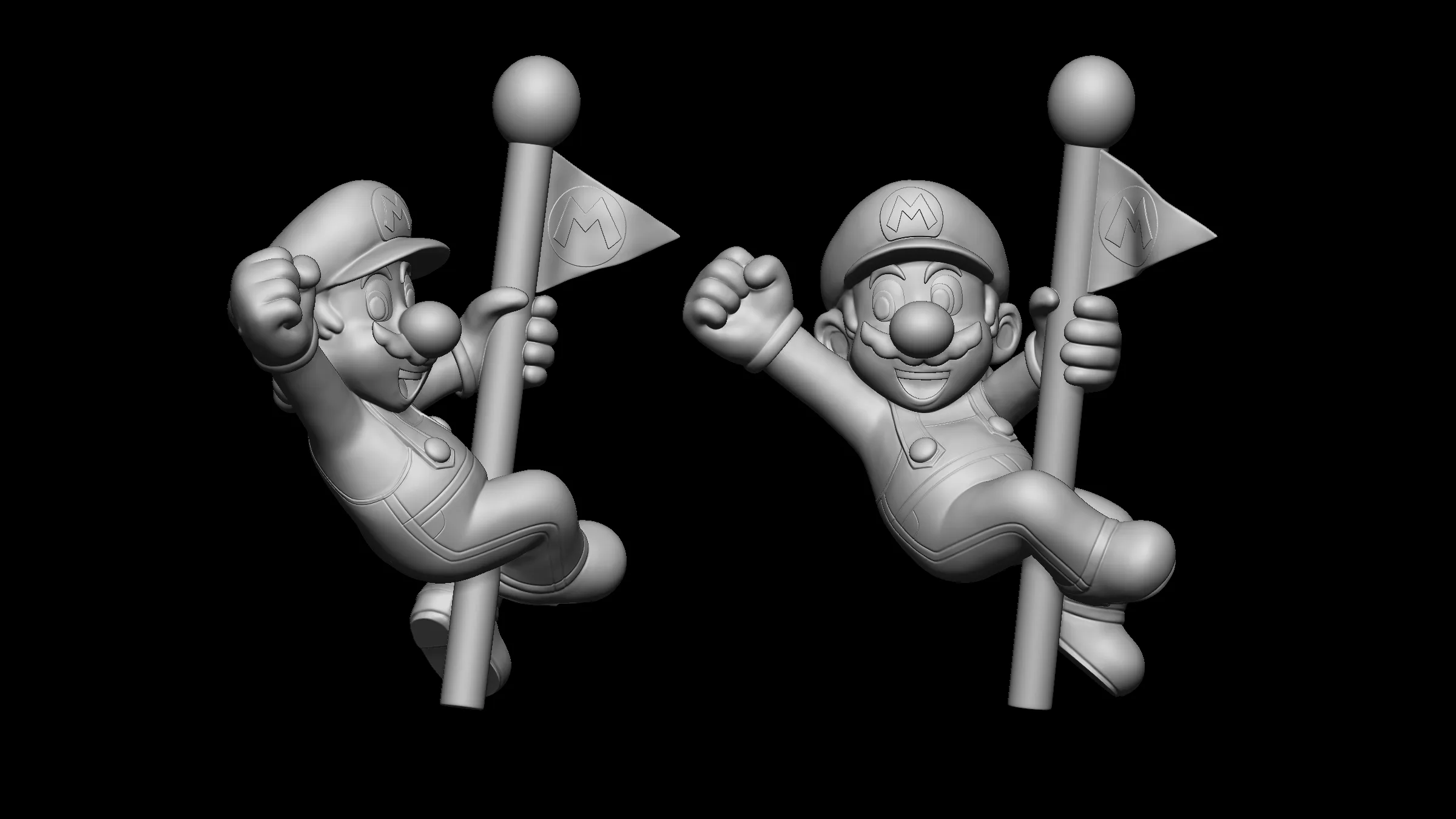
Related work
FAQ
Questions about this service
What is your typical turnaround time?
It depends on the model and the work needed. After we review your file, the quote includes a fixed delivery date. Typical turnaround for each tier is listed on the pricing page.
What polygon budget should I aim for?
It depends on the platform, how many assets share the screen and how close the camera gets. Tell us the platform and the scene, and we’ll propose per-asset budgets in the quote.
What happens if a model cannot be fixed?
Some AI generations are too broken to be worth repairing. If rebuilding or regenerating would be cheaper for you, we'll say so in the free assessment, before you pay anything.
When can I give feedback?
At blocking, when the key poses and timing are in place but before polish. Changes are quick there. After polish they take longer and may count as a revision round.
Get a quote
Tell us about your project.
A few short questions, your files or reference links, and a budget range. We reply within 12 hours.
Get a quoteThe quote form will ask
- Target platformVR · Web · PC/Console · Mobile
- How many assets?1 · 2-10 · 11-50
Questions without “required” are optional. “Not sure” is a fine answer.
NDA on request. Your files are confidential and deleted 90 days after delivery.
Last updated: